Shipping
Introduction
Section titled “Introduction”Lightfunnels allows you to set shipping options for funnels. You can include shipping costs in your pricing to increase your sales revenue, or offer free shipping to enhance customer appeal. You can customize shipping rates based on regions or product types.
Creating A shipping Group
Section titled “Creating A shipping Group”- Navigate to your account settings.
- Click on “Shipping.”
- Select “Add new shipping group” and give it a Shipping group name.
- Click “Add new shipping zone”, give it a Shipping zone name and choose the countries you want to ship to. You can also use the Rest of the World zone: it is used if the customer’s selected country does not match any other zone.
- Under Shipping Rates, click “Add new rate” and enter your shipping rates (name and price) to set your options.
Free shipping over an amount
Section titled “Free shipping over an amount”For each zone, you can choose Offer free shipping over an amount: enter the Amount and a Message. The message is displayed on the checkout page to let customers know that they qualify for free shipping when their total purchase exceeds that amount. Choose No offer to turn it off.
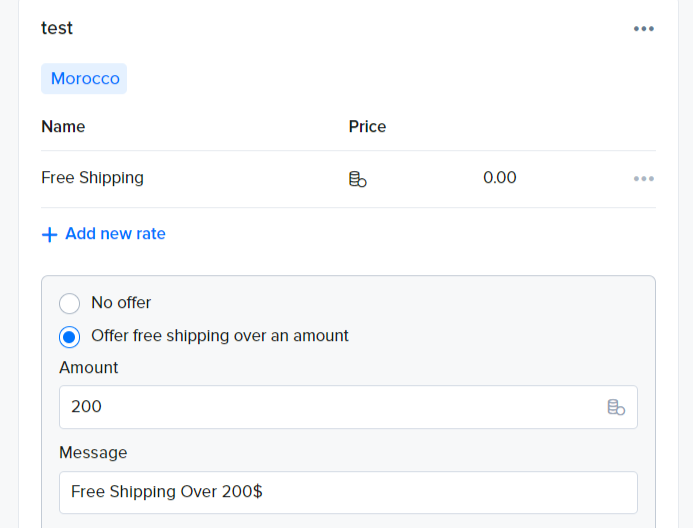
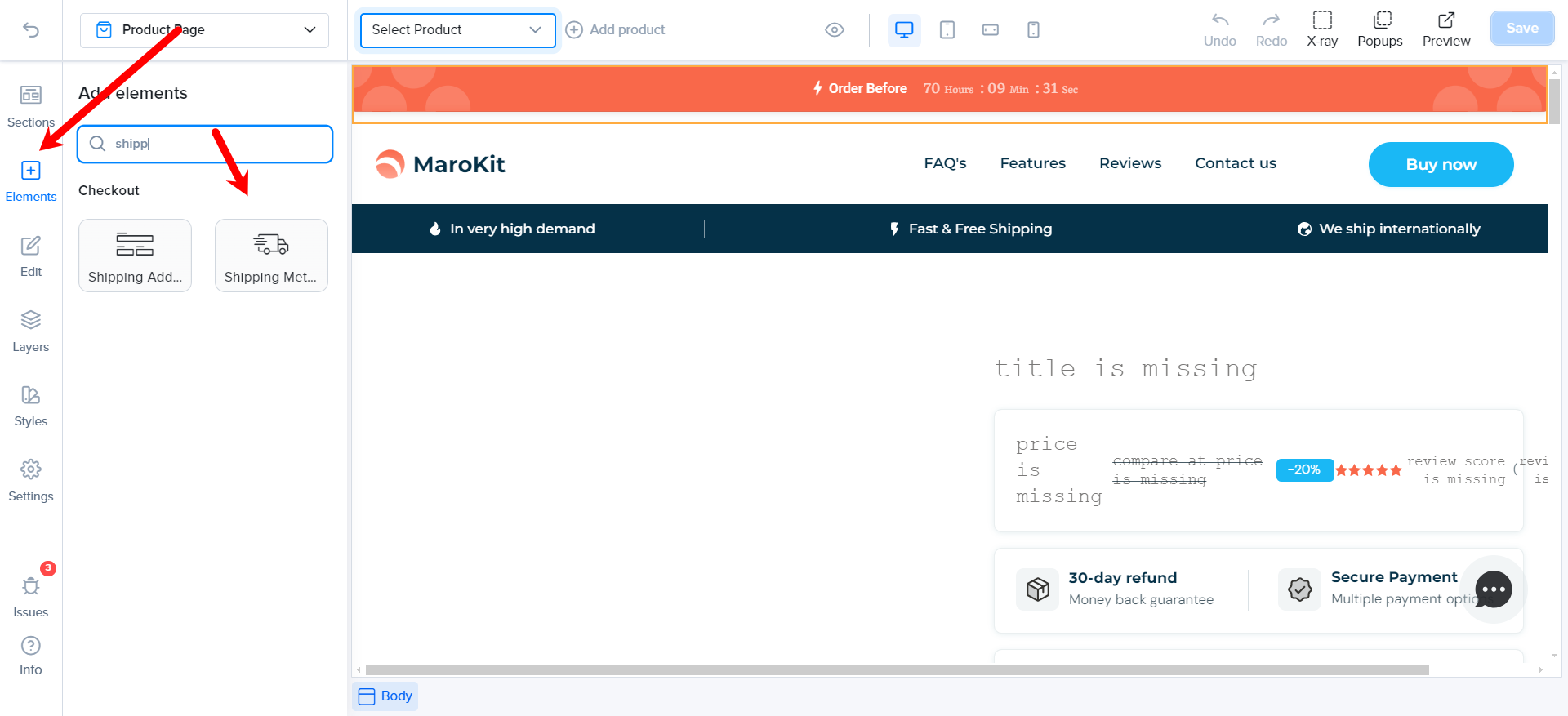
Important Note: After configuring the shipping, ensure that the shipping group is linked to the products or the store’s shipping settings, and confirm that the shipping module is included in the checkout section.
Advanced shipping regions
Section titled “Advanced shipping regions”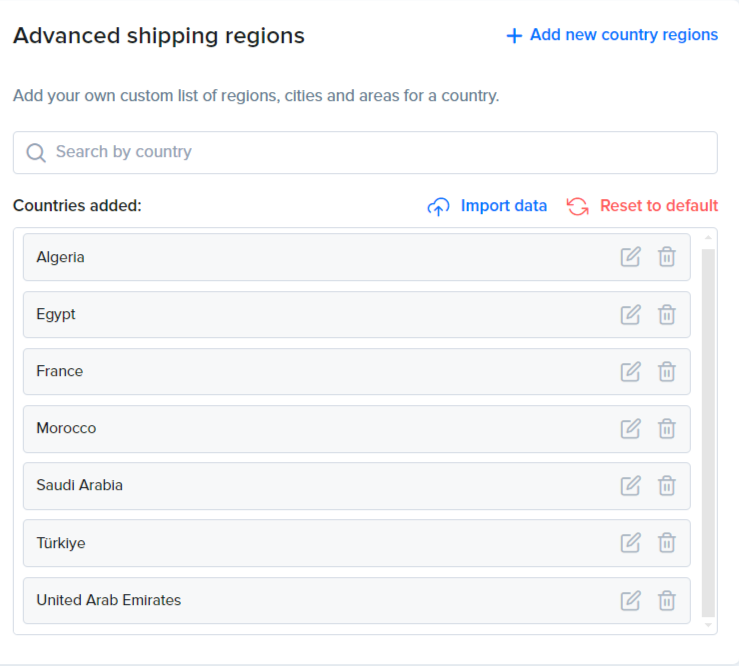
Advanced Shipping Regions in Lightfunnels allows you to customize shipping options based on specific cities, regions, and areas. Users can easily upload a CSV file to edit shipping prices or utilize the pre-provided country shipping files for seamless setup.
- Click “Add new country regions” to add your own custom list of regions, cities and areas for a country.
- Click “Import data” to upload a CSV file. To see an example of the required file format, download the sample CSV template from the import window.
- Use “Export data” to download a country’s data, or “Reset to default” to clear its custom regions.
- For each region, choose either an Extra fee (an extra shipping amount for that region) or a Custom rate.
For more information, check out this video: Watch Here.
Happy Selling 💸💸💸