Clarity Integration
Clarity is a free, easy-to-use tool that captures how real people actually use your site. Setting up Clarity on Lightfunnels is easy and you’ll start getting data in minutes.
Follow these steps to get Clarity setup on your Lightfunnels account.
- Go to your Clarity account -> Settings -> Overview and copy the Project ID
- Log in to your Lightfunnels account and go to Apps → Discover apps
- Search for Clarity, open its card and click Install app
- Paste the project ID and click install
- You’re all set!
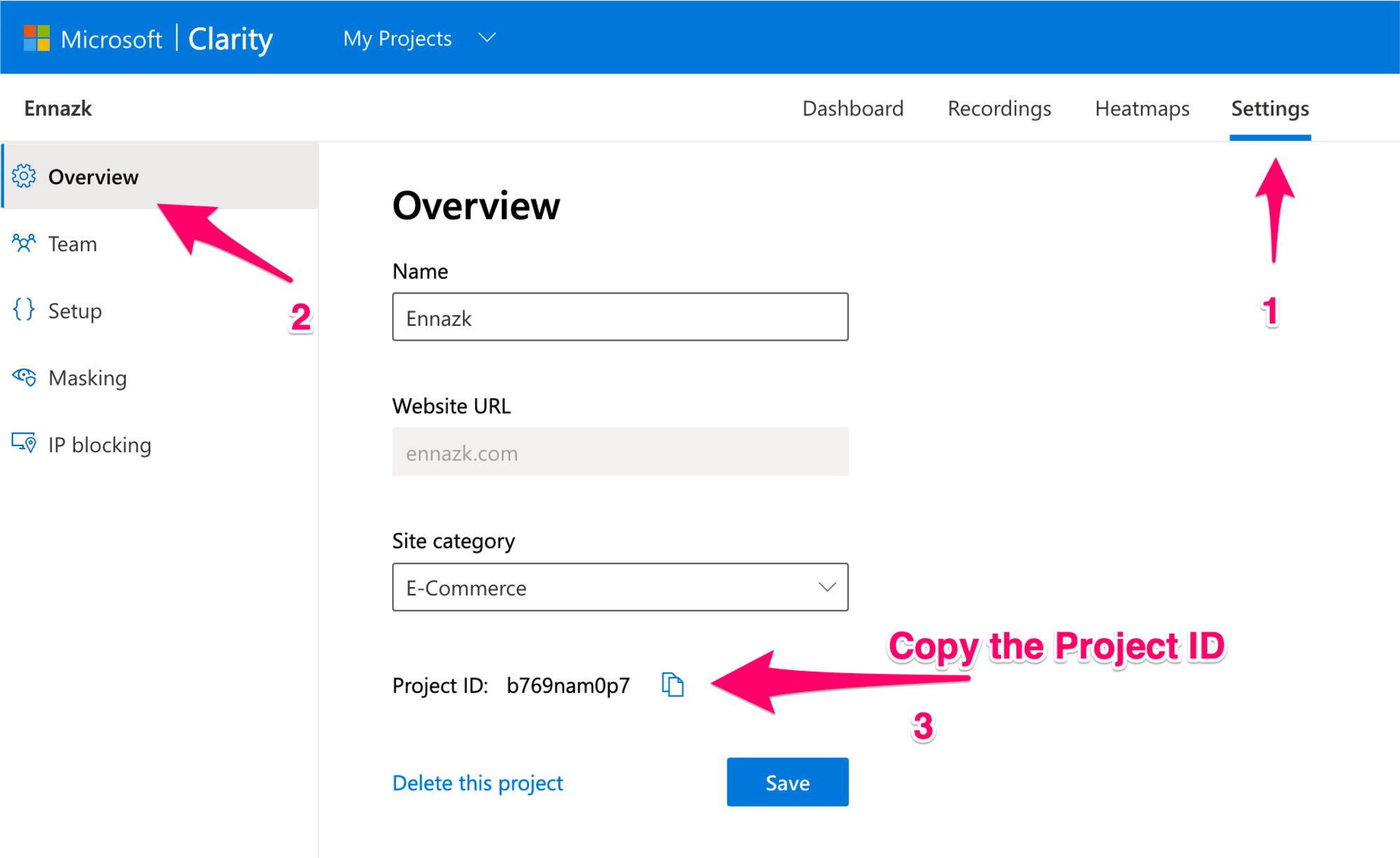
Copy your Project ID
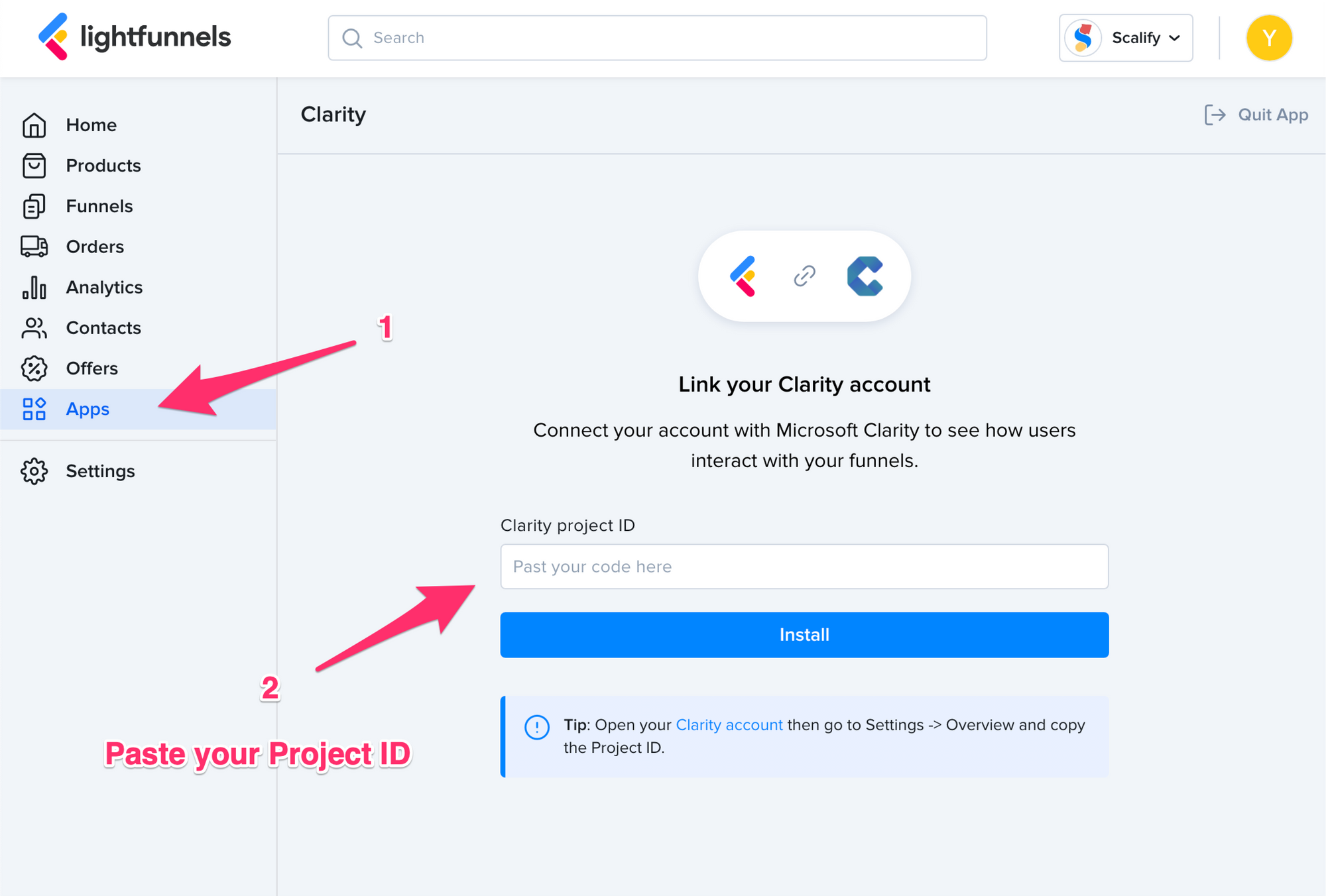
Paste your Project ID and click Install