Price Bundles
Introduction
Section titled “Introduction”Price bundles are an effective e-commerce strategy that allows businesses to offer multiple products or services at a combined price. This approach not only enhances customer satisfaction by providing perceived value but also helps increase sales and average order value (AOV). Lightfunnels supports the creation of price bundles, enabling you to streamline the purchasing process and maximize your revenue potential.
Step-by-Step Guide:
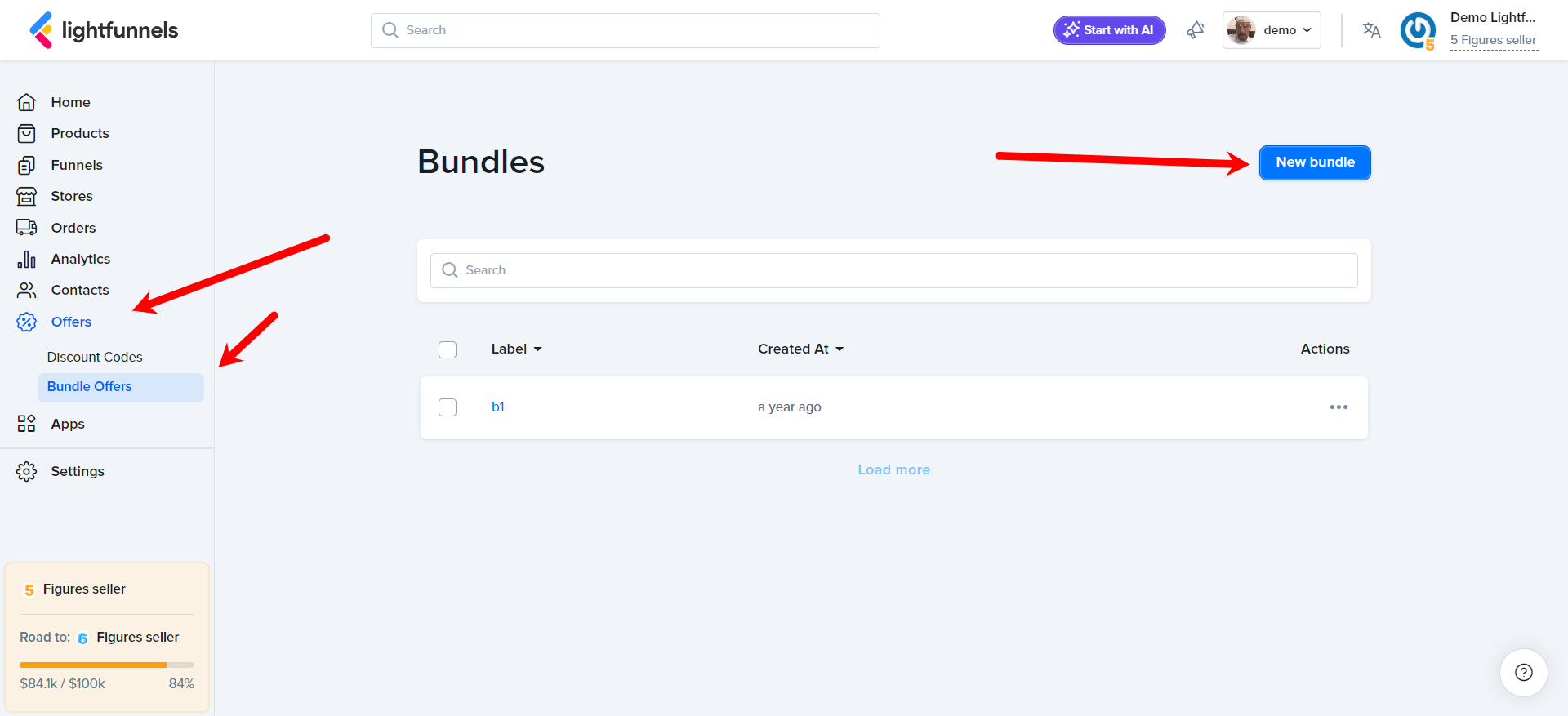
Section titled “Step-by-Step Guide:”- Go to Offers and Select Bundle Offers: Log into your Lightfunnels account, click
Offerson the sidebar, thenBundle Offers. ClickNew bundle.
- Name Your Bundle: Enter a
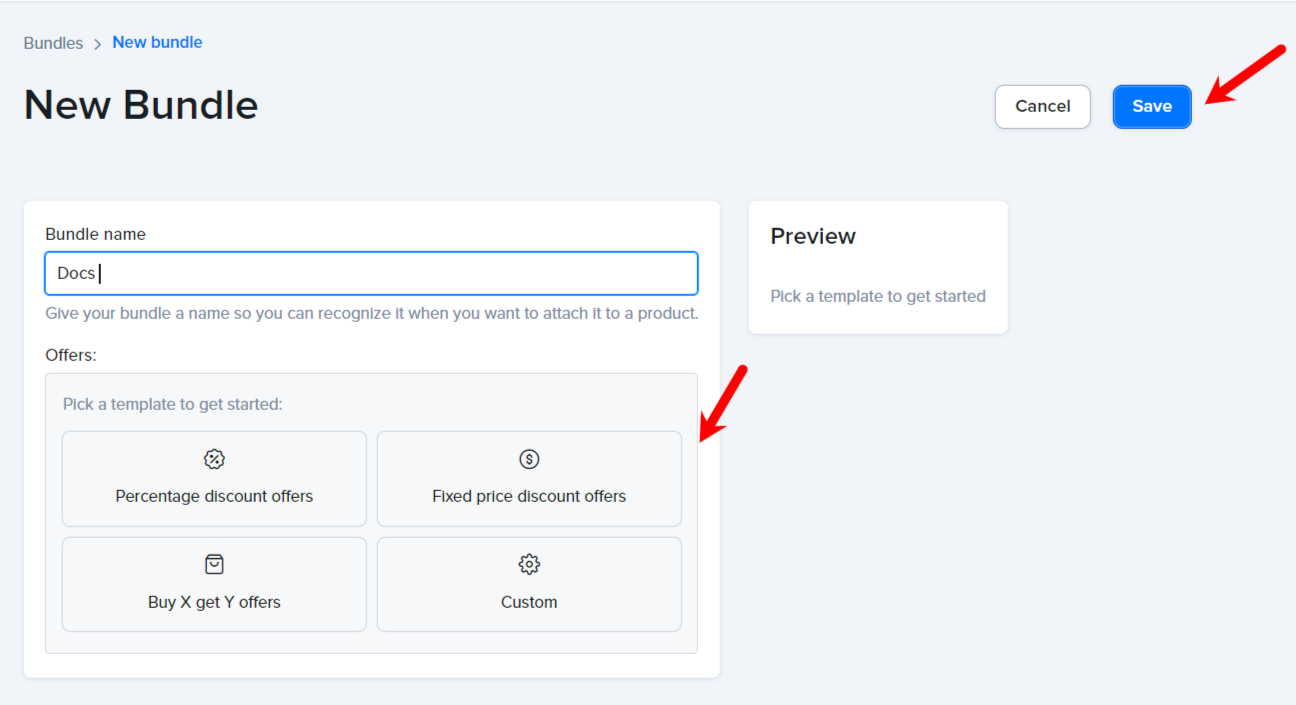
Bundle nameso you can recognize it when you attach it to a product.
-
Add Your Offers: To start quickly, click
Load from templateand pickPercentage discount offers,Fixed price discount offersorBuy X, get Y offers. You can also clickAdd new offerto add offers one by one. -
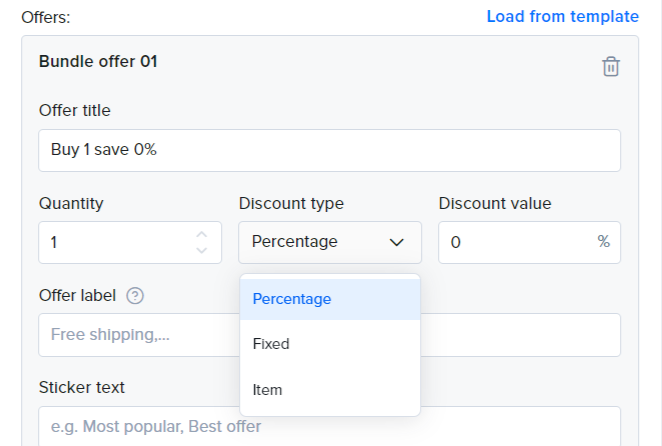
Set Up Each Offer: For each offer, fill in:
Offer title- For example “Buy 1 get 0%”.Quantity- The number of items in the offer.Discount type-Percentage,FixedorItem.Discount value- The discount to apply.Offer label- A text shown in the offer to tell customers about an extra perk, like “FREE SHIPPING”.Sticker text- A short badge, for example “Most popular” or “Best offer”.SKU- Used to track or reference this offer in analytics or integrations.
Click
Remove offerto delete an offer.
- Check the Preview: The
Previewshows how the bundle will look on your pages. - Save Your Bundle: Once all details are set, click
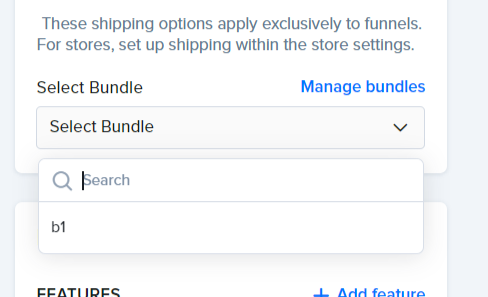
Save. - Link the Bundle to Your Product: Go back to your product settings. Under
Select Bundle, choose the bundle you created.
Important Note: The same bundles can be utilized with multiple products. However, you have the flexibility to tailor specific bundles for individual products with distinct discount values.
Watch this 👉 video for more info
Happy Selling 💸💸💸