How to connect PayPal to Lightfunnels?
PayPal is a widely used payment platform that lets your customers pay with their PayPal account. You connect PayPal from PayPal’s own website, so you don’t need to copy any API keys.
Before you start
Section titled “Before you start”If you don’t have a PayPal account yet, sign up on PayPal.
Connect PayPal
Section titled “Connect PayPal”- Go to Settings → Payment gateways.
- Click
Add a payment gateway. - Select PayPal, then click
Add payment. - A new tab opens on PayPal. Sign in and complete the steps to link your PayPal account to Lightfunnels.
Once connected, your PayPal account appears in the Payment gateways list. You can connect more than one PayPal account.
PayPal account verification
Section titled “PayPal account verification”If PayPal still needs you to finish setting up your account, a PayPal account verification banner appears under your PayPal account with the message: “Please verify and complete setup on the PayPal website.”
- Complete the setup on the PayPal website.
- Come back to Settings → Payment gateways and click
Check again.
The banner disappears once PayPal confirms your account is ready.
Use PayPal in your funnels and stores
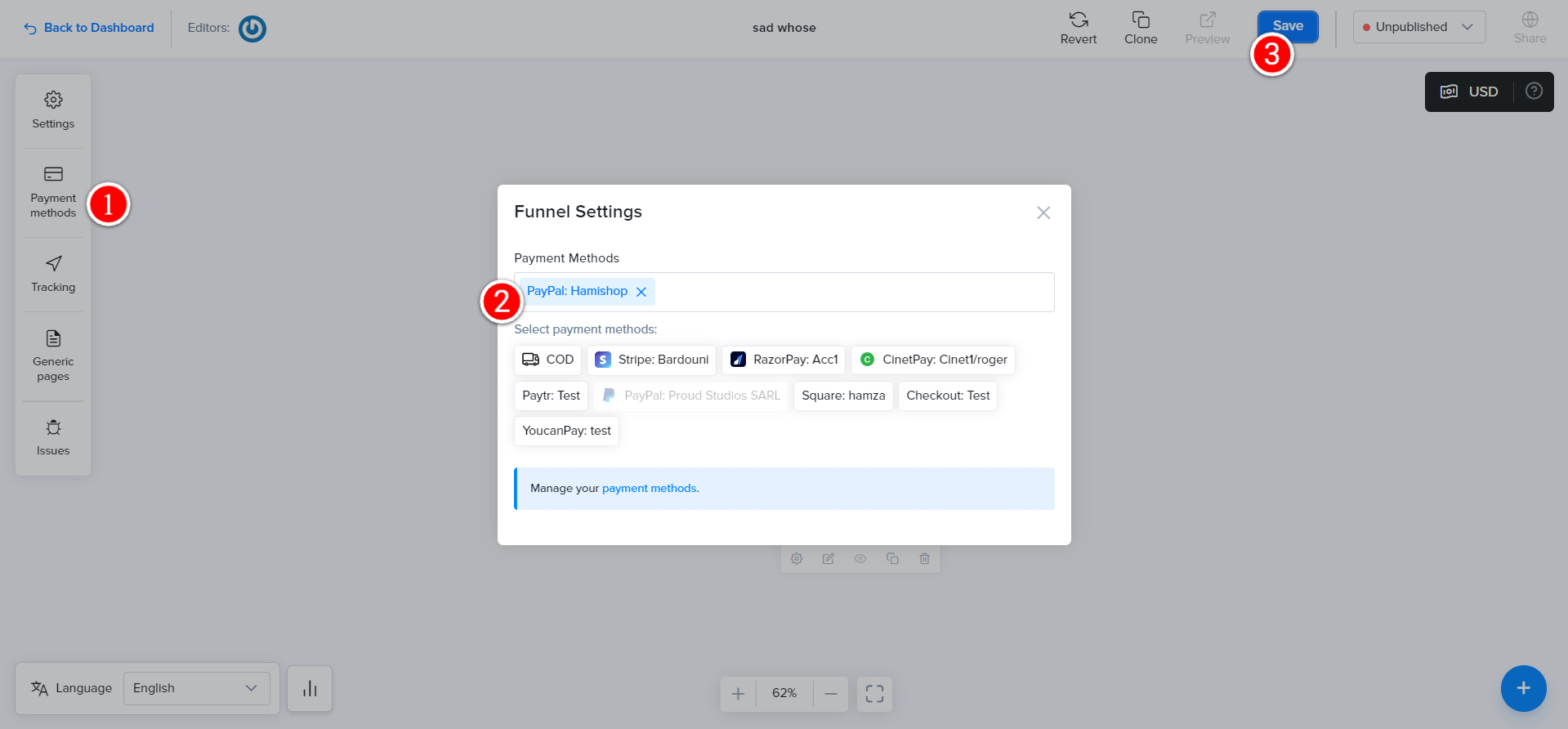
Section titled “Use PayPal in your funnels and stores”After connecting, select PayPal as a payment method in the checkout of your funnel or store.
Disconnect PayPal
Section titled “Disconnect PayPal”Click Disconnect next to your PayPal account. It will be removed from all of your funnels.
Watch the video below for a walkthrough: