Funnel Page Types
Your funnel is composed of different page types. Each type serves a different purpose.
Product Page
Section titled “Product Page”Product pages are used to display information about your product and offer. Your customers can learn about your product, features, testimonials and reviews.
Most importantly, this is where the customer can choose a product variant and click the buy button to go to the checkout page.
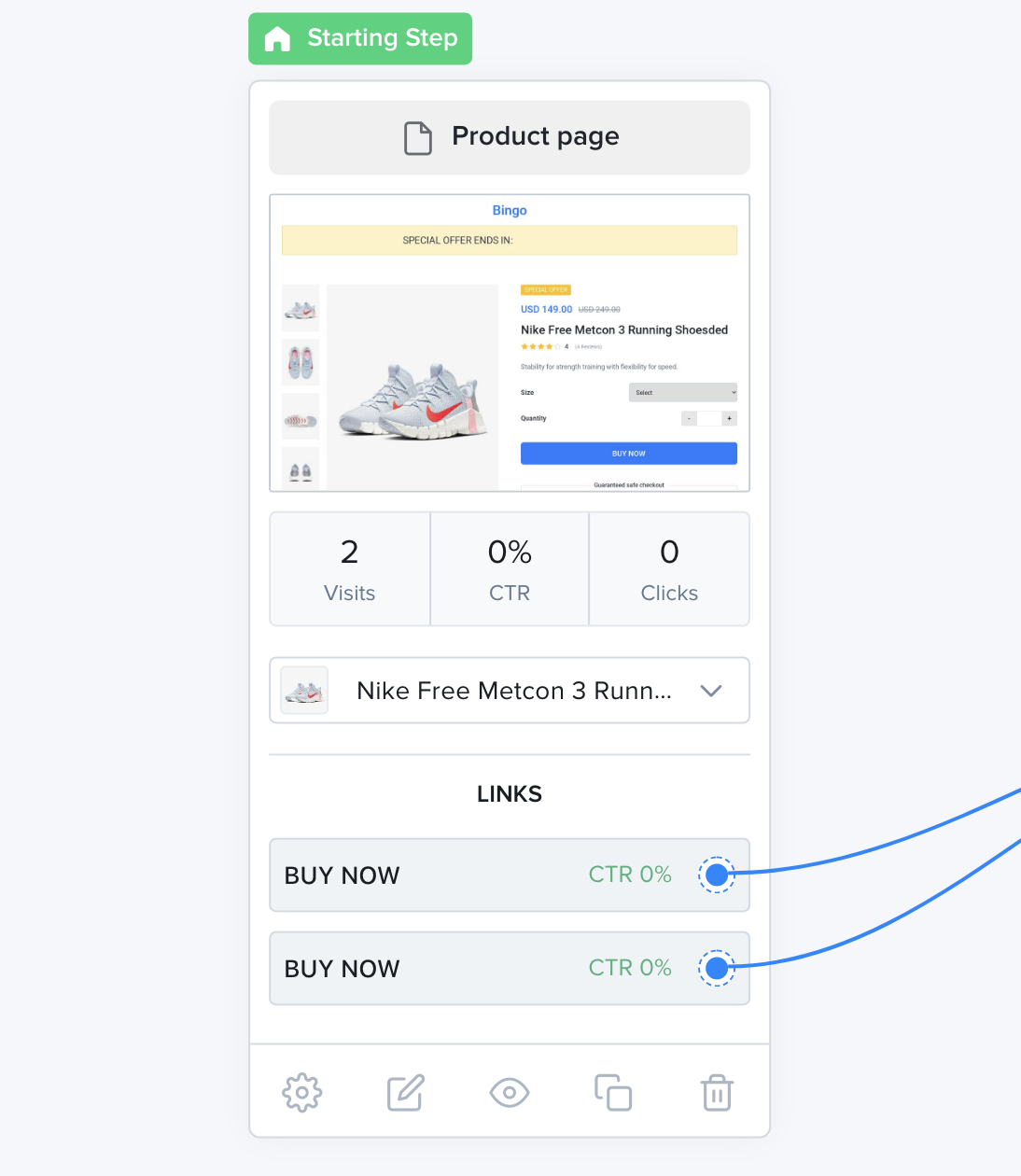
Product Page
Checkout Page
Section titled “Checkout Page”The checkout presents the customer with a checkout form where they can enter their personal information and pay.
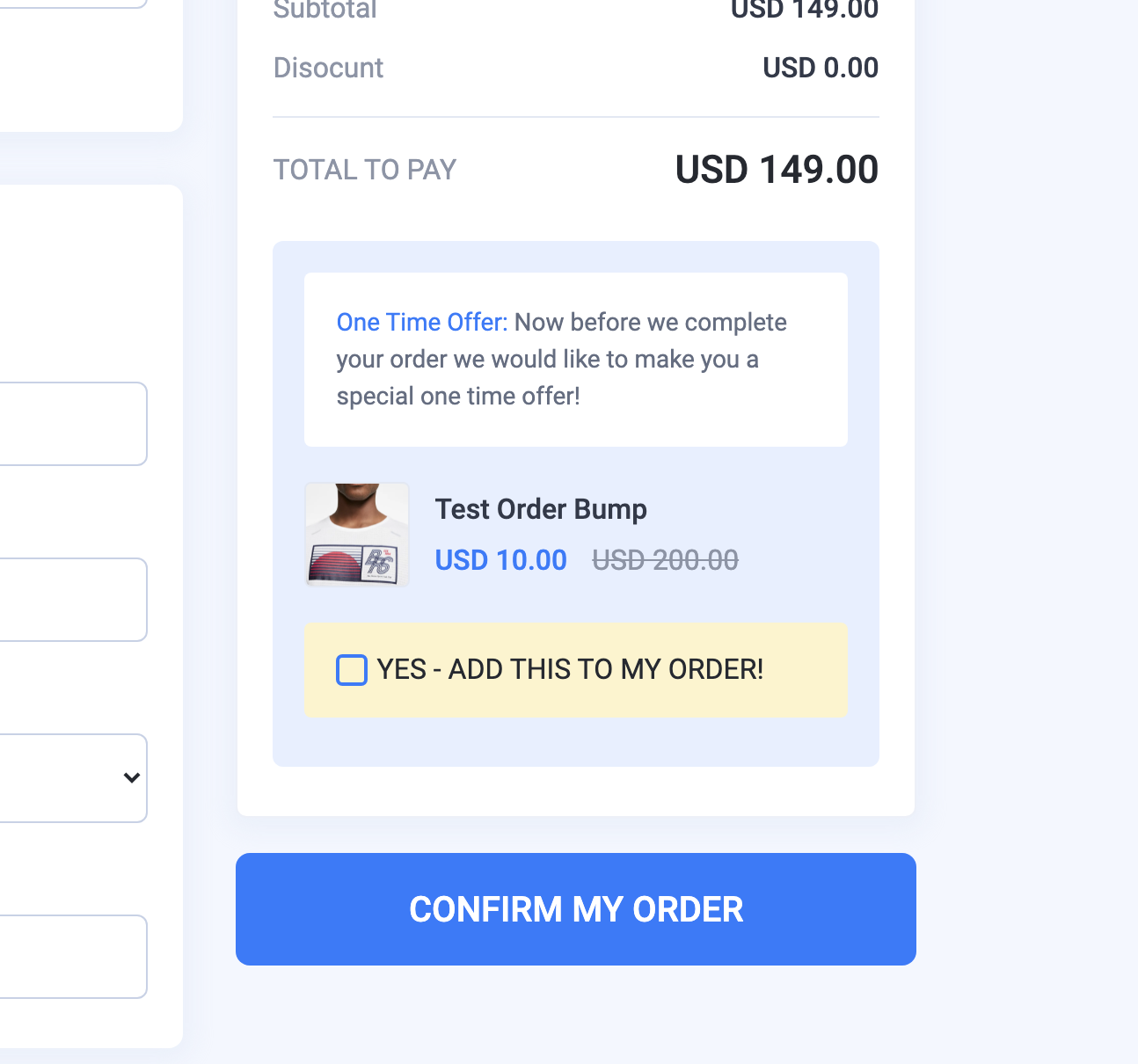
The product page is also home for the Order Bump. An optional offer that you can setup on the product page.
The Order Bump is a great way of increasing your average order value.
Upsell Page
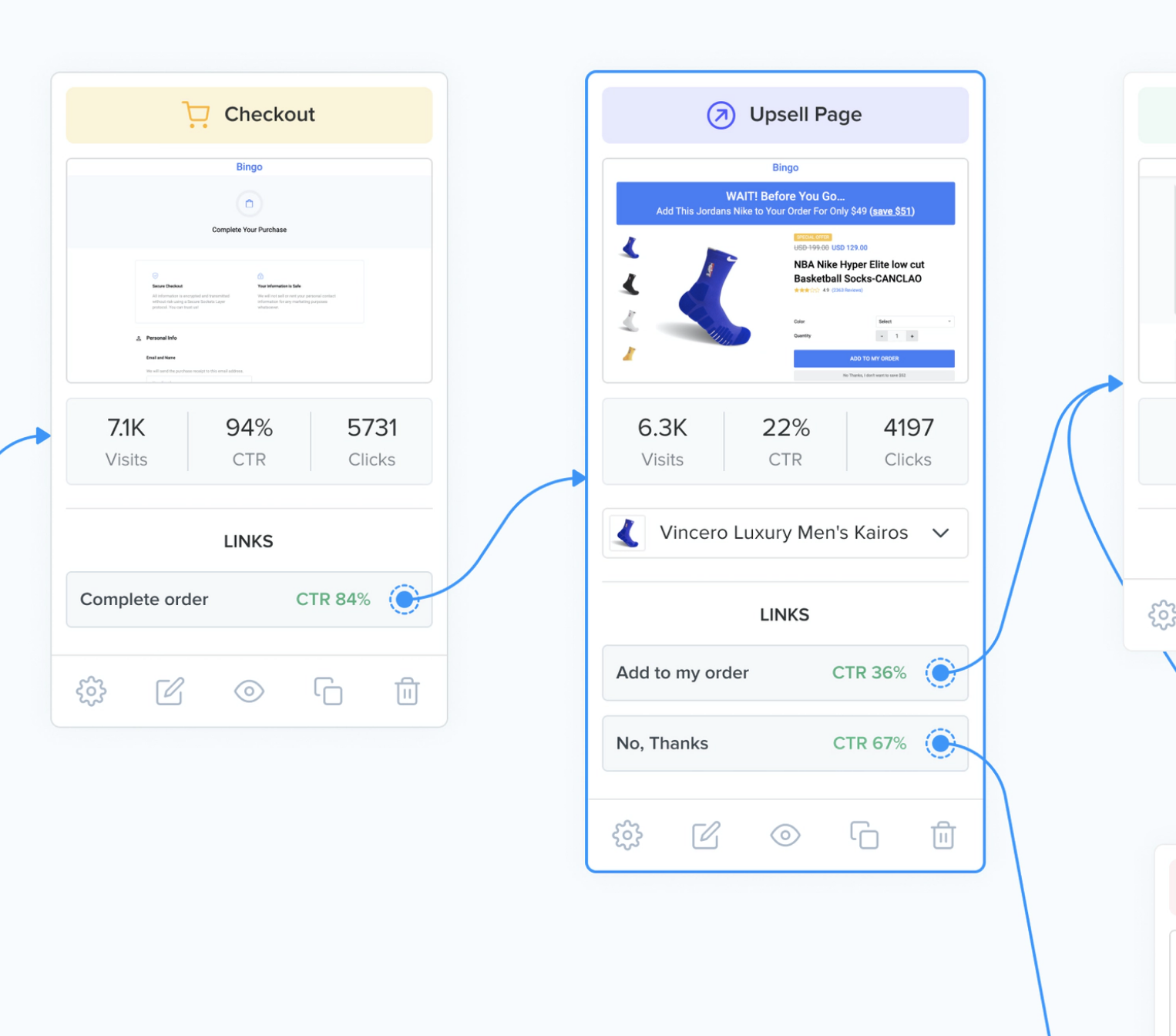
Section titled “Upsell Page”After the user has purchased the first product on the Checkout Page, Upsell Pages allow you to offer additional products to your customer.
Another great way of increasing your average order value using One Click Upsells as the user does not need to re-enter their payment information.
Upsell Page
Downsell Page
Section titled “Downsell Page”Similar to Upsell Pages, Downsell Pages let you offer a better deal if the user declines an upsell offer.
Article Page
Section titled “Article Page”An Article Page is a page that talks about your offer in a way that is not “salesy”. The page is similar to a blog post and can be used to warm the customers before presenting them with the product page.
Lead Capture Page
Section titled “Lead Capture Page”Lead capture pages (also called squeeze pages) are used to collect leads information from your prospects like their name, email or phone number in return for a lead magnet that they can collect on the thank you page.
Blank Page
Section titled “Blank Page”A Blank Page is an empty page that you can build from scratch in the page builder. Use it for any page that doesn’t fit the other types.
Thank You Page
Section titled “Thank You Page”After selling a product or collecting a lead, the Thank You page is the last step of your funnel where you thank the user for purchasing or for subscribing and give them information on what to do next or what to expect.
Generic Pages
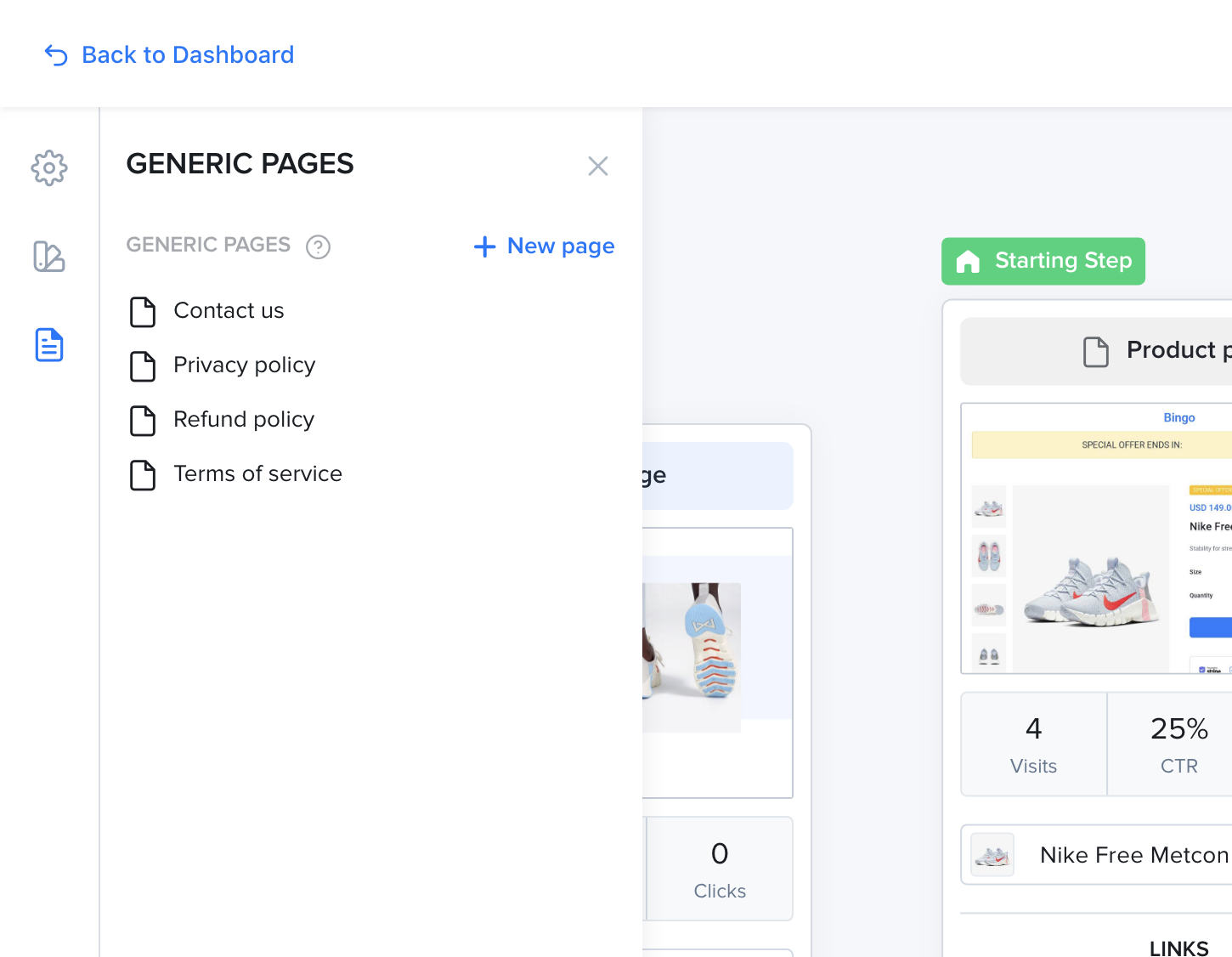
Section titled “Generic Pages”A generic page is a page that is secondary to the functioning of your funnel. These are typically used for the legal pages or for the contact page.
Generic pages don’t appear in the main flow of your funnel. Instead, they are grouped in the “Generic pages” box on the canvas. Click Show details or Hide details to expand or collapse the list.
To add a generic page, click Add new page. Enter a Page name and a Page slug, then pick a Page template: Blank, Contact US, Privacy Policy, Refund Policy or Terms of service. Click Save.
Generic Pages