How to connect Mercado Pago to Lightfunnels?
Mercado Pago is a payment platform used across Latin America.
Before you start
Section titled “Before you start”Get your Public Key and Access Token, and your sandbox (test) public key and access token, from your Mercado Pago dashboard.
Connect Mercado Pago
Section titled “Connect Mercado Pago”- Go to Settings → Payment gateways.
- Click
Add a payment gateway. - Select Mercado Pago (it may be listed as Mercado), then click
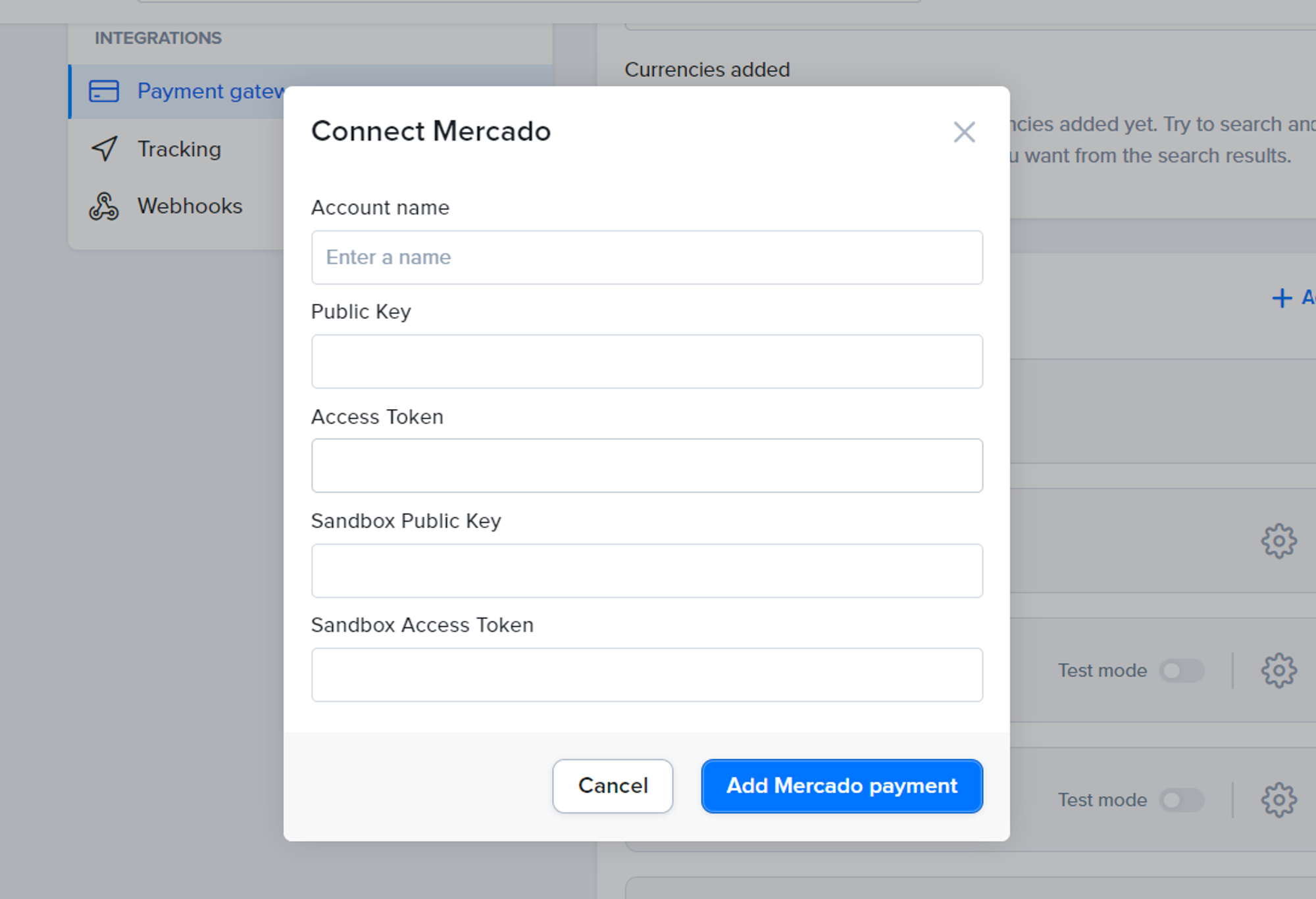
Add payment. - Fill in the form:
- Account name: a name to help you recognize this account in Lightfunnels.
- Public Key
- Access Token
- Sandbox Public Key
- Sandbox Access Token
- Click
Add Mercado payment.
Configure Mercado Pago
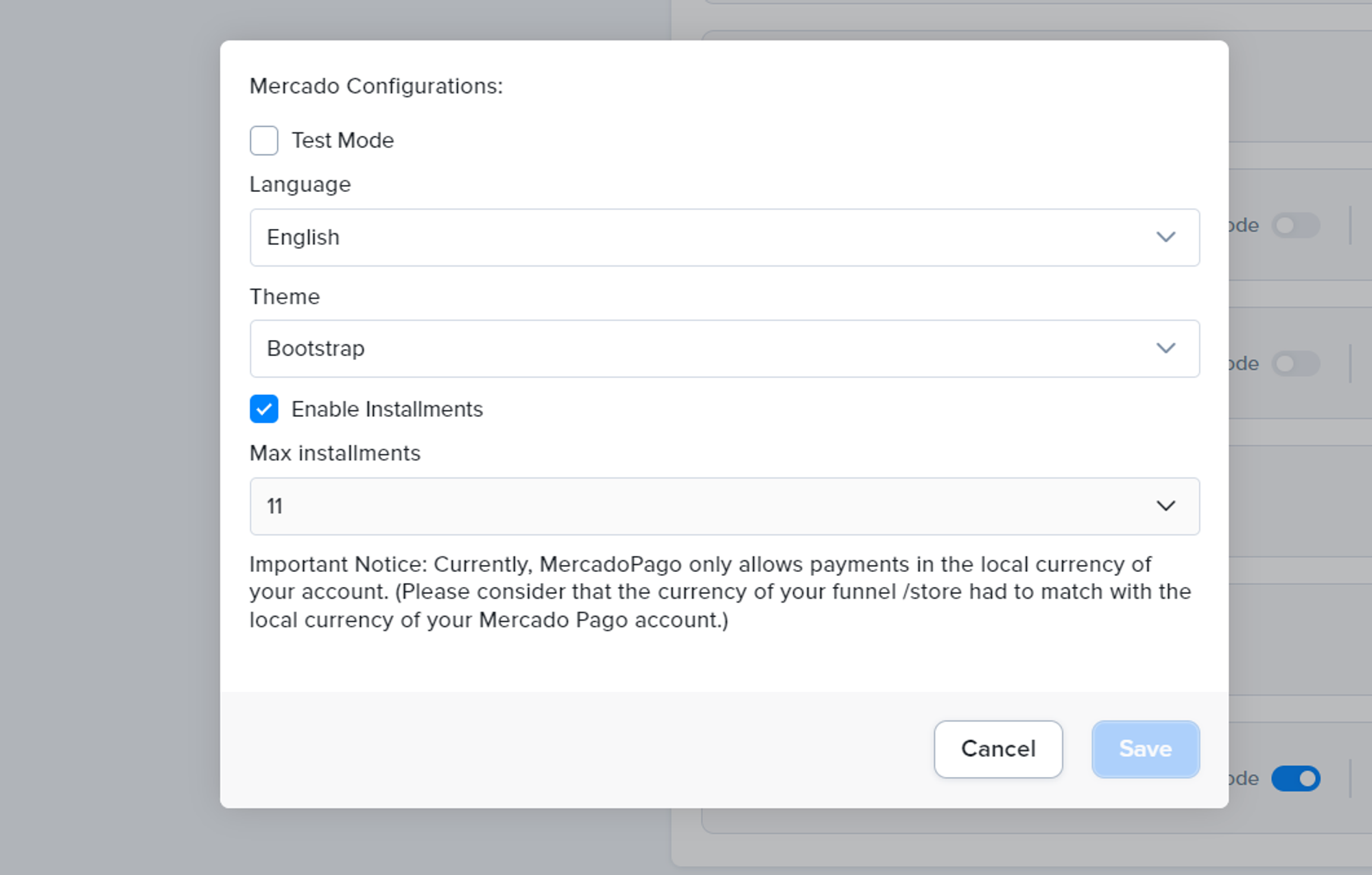
Section titled “Configure Mercado Pago”Click the gear icon next to Mercado Pago in the Payment gateways list to change these options, then click Save:
- Test Mode: use your sandbox keys to test payments.
- Language: English, Spanish or Portuguese.
- Theme: Default, Bootstrap, Dark or Flat.
- Enable Installments: let customers pay in installments.
- Max installments: the maximum number of installments (2 to 12).
You can also switch between test and live mode with the Test mode toggle next to the account.
Use Mercado Pago in your funnels and stores
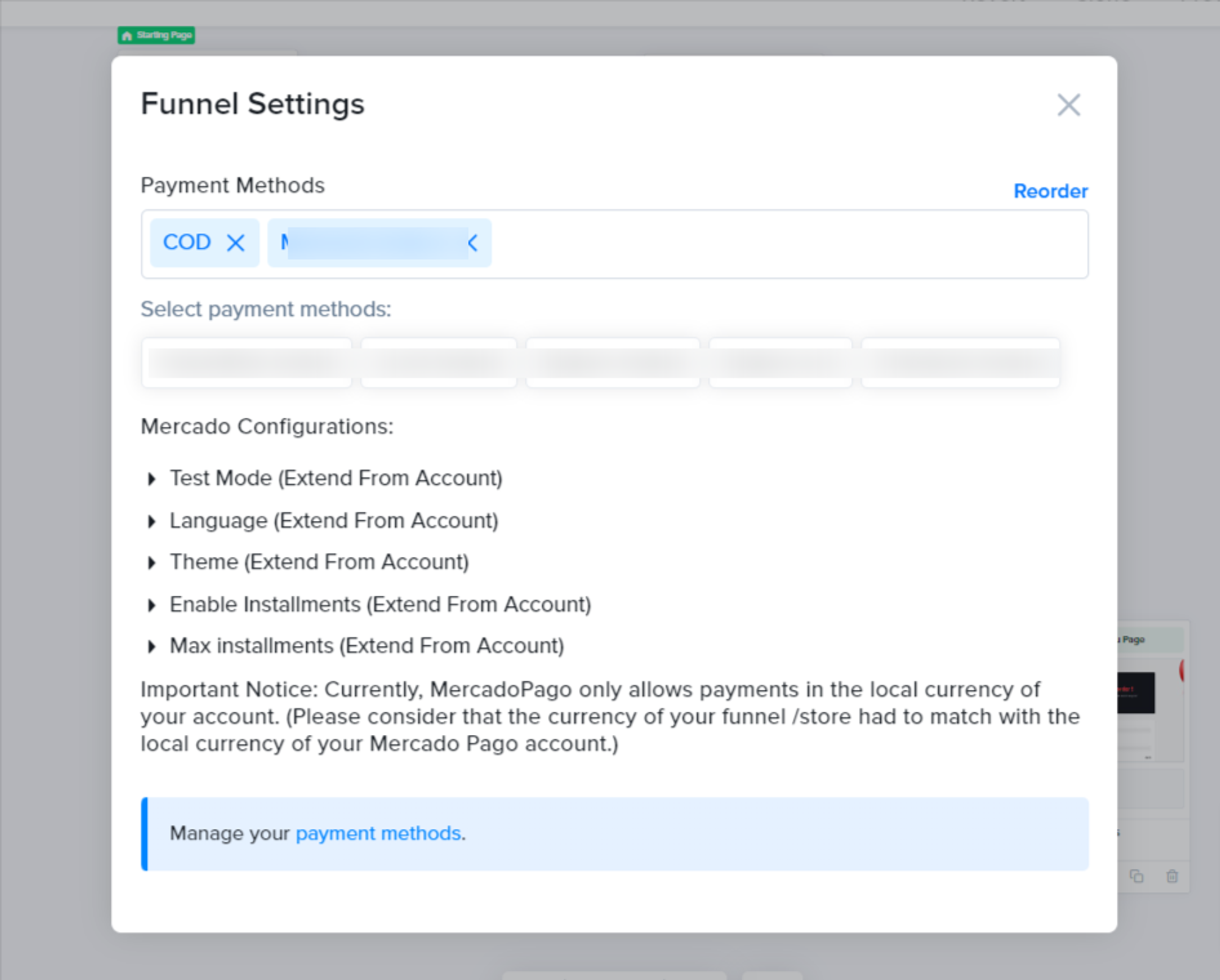
Section titled “Use Mercado Pago in your funnels and stores”After connecting, select Mercado Pago as a payment method in the checkout of your funnel or store. The configuration you set in Settings applies to every funnel that uses this account.
To use different settings for one funnel, open that funnel’s settings and switch an option from Extend From Account to Custom. Those changes only apply to that funnel.
To remove it, click Disconnect next to the account.