Data Binding
What is Data Binding?
Section titled “What is Data Binding?”Data binding allows you to populate your pages with information from your account and products. For example, you can set a text element inside your page to display the product title or description.
Data Binding Example
Section titled “Data Binding Example”Select an element and open its Settings tab. In the Content group, turn on the Get Text from toggle. For images, the toggle is Get image from.
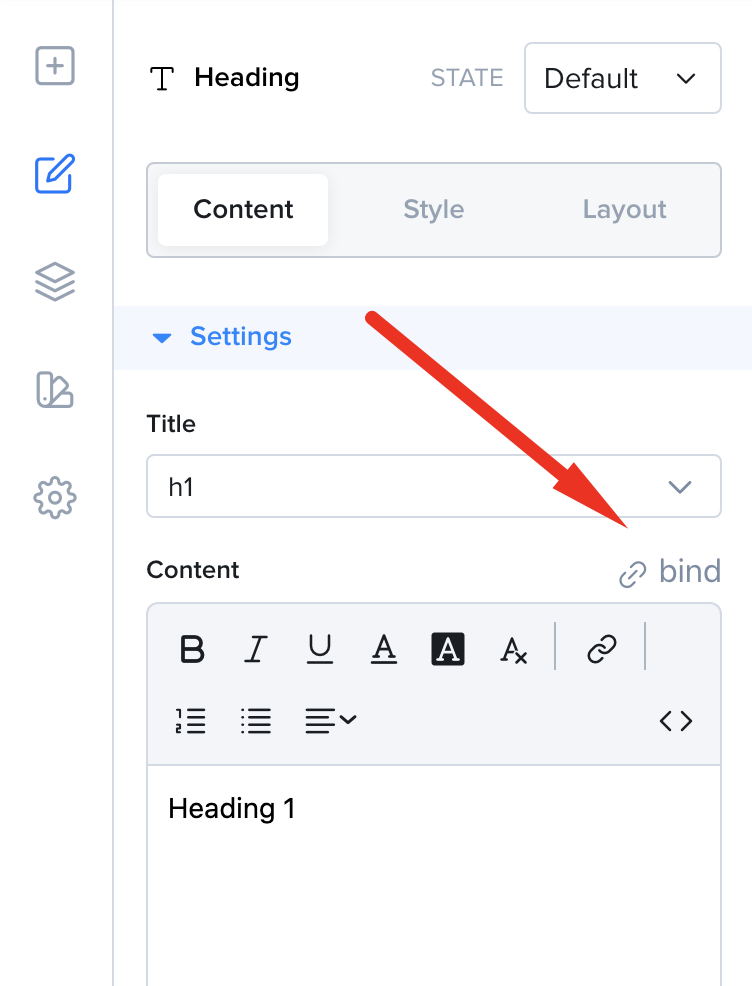
Turn on the toggle to bind an element content to existing information
Once the toggle is on, you can choose what information you want to connect. You can choose from different sources such as the page’s product title, description, price etc.
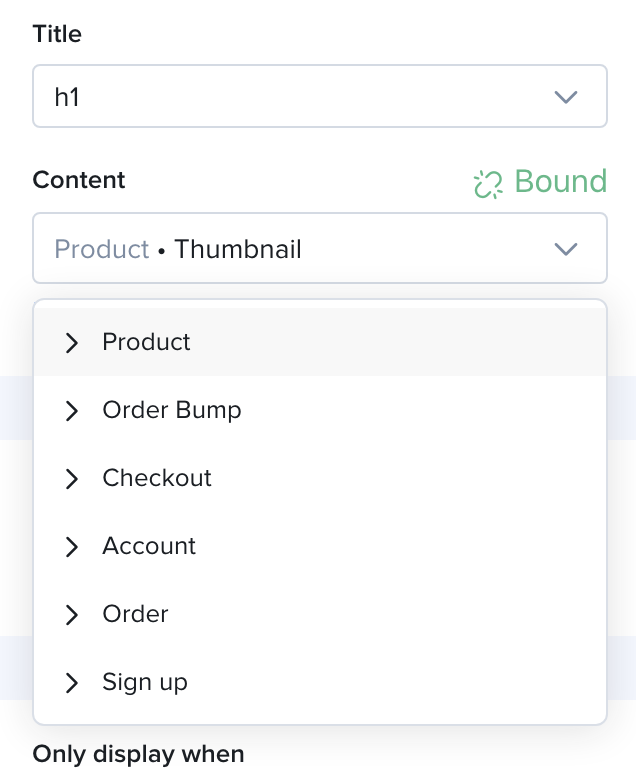
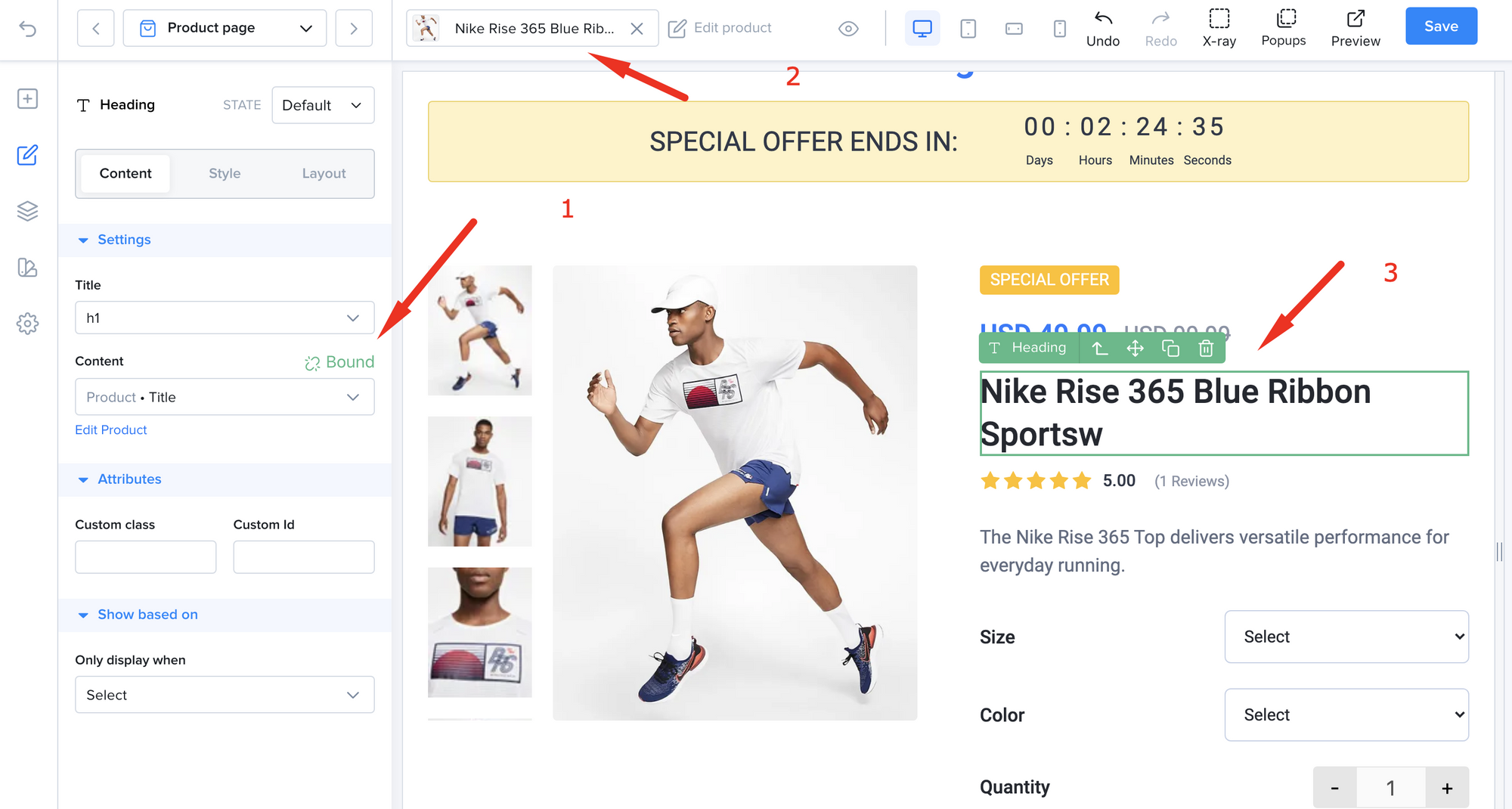
In the example below, the text element was bound to the current page’s product title.
- Content is bound to Product -> Title
- Page’s product is selected at the top
- The text element shows the actual product title
The Repeater - Binding List Data
Section titled “The Repeater - Binding List Data”Some of your data is represented in lists of items like product features, testimonials or reviews.
In order to bind data from lists, we need to use the Repeater element. A container that repeats your design multiple times to show the content of your list.
Using the Repeater
Section titled “Using the Repeater”To demonstrate the repeater, let’s create a Repeater that pulls data from product reviews.
Step 1.
Section titled “Step 1.”Drag a Repeater from the sidebar.
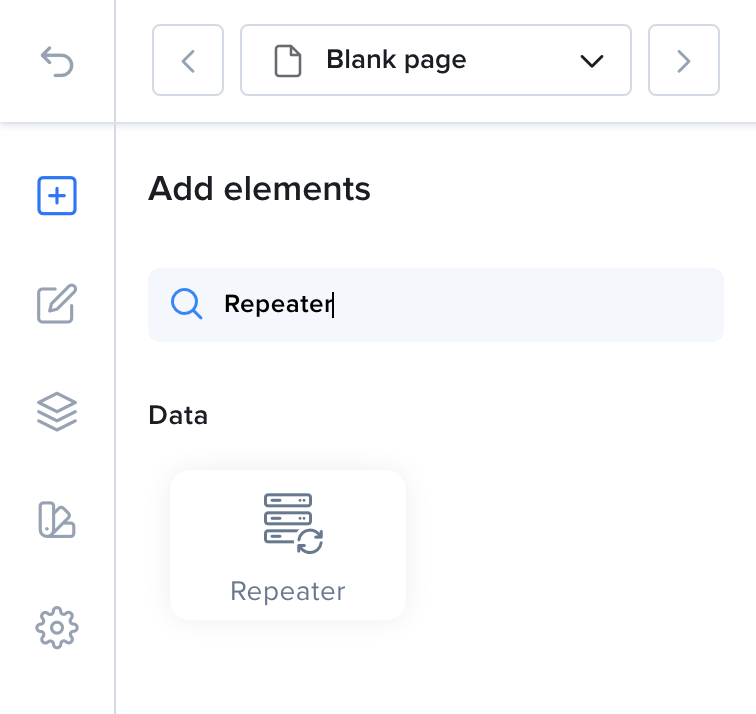
Drag the Repeater element onto the content area
Step 2.
Section titled “Step 2.”Select the Repeater and open its Settings tab. Under Data Source, choose Product Reviews in the From list.
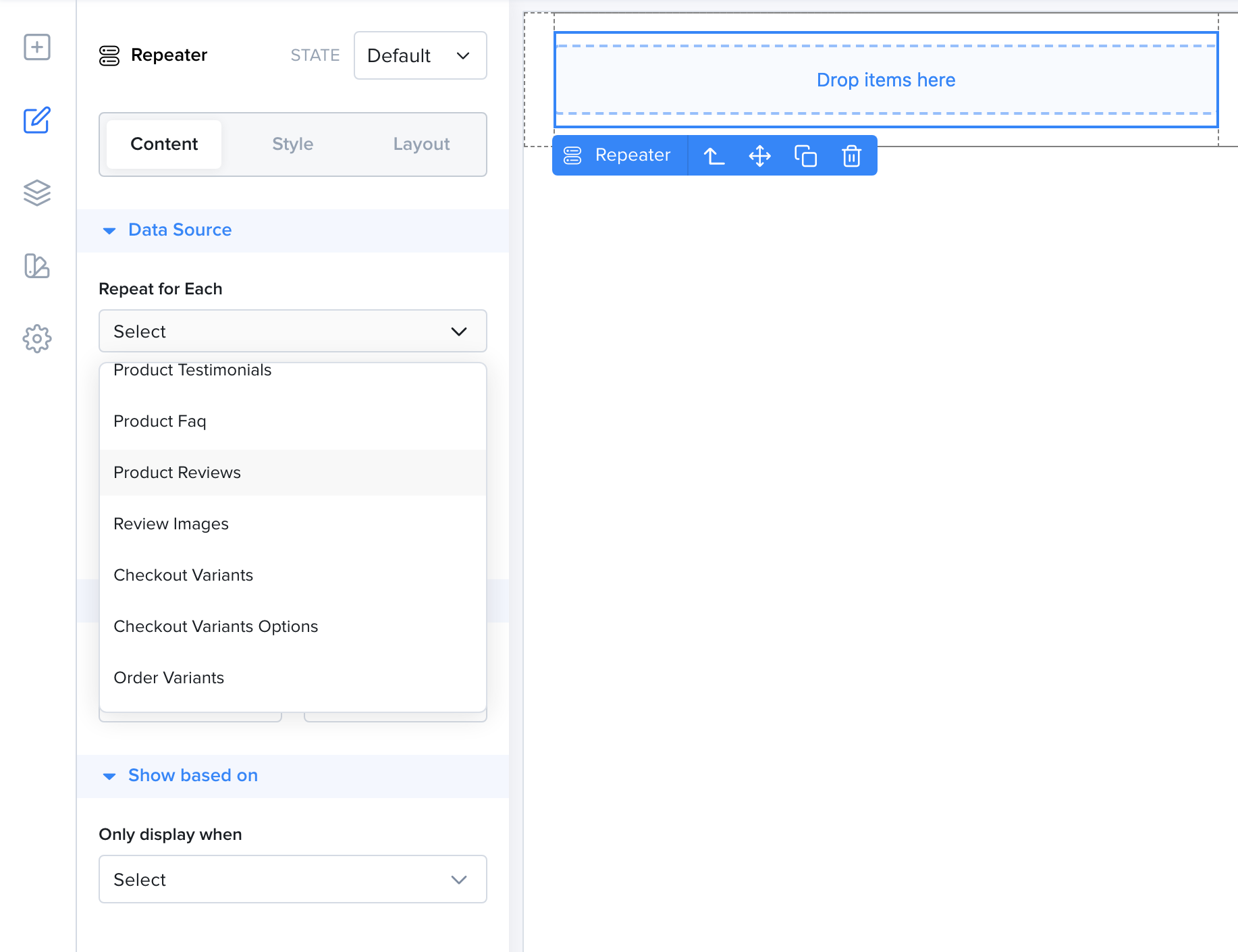
Choose the list of data that you want the repeater to repeat your design for
Depending on the list, you can also use these options:
- Sort by - Changes the order of the items. Keep
Default orderto use the normal order. - Slice Data - Shows only part of the list. Enter a
Startand anEnditem number.
Step 3.
Section titled “Step 3.”Now anything you put inside the Repeater will be repeated for every Product Review you have on this product.
In this example, we will add the reviewer’s name, the content of the review and the image.
It is preferable to have one parent element inside the Repeater and put everything inside that parent element. We will use a Container element as the parent then drop two text elements and an image inside it.
Once added, each element will be bound to the data that we want from the review.
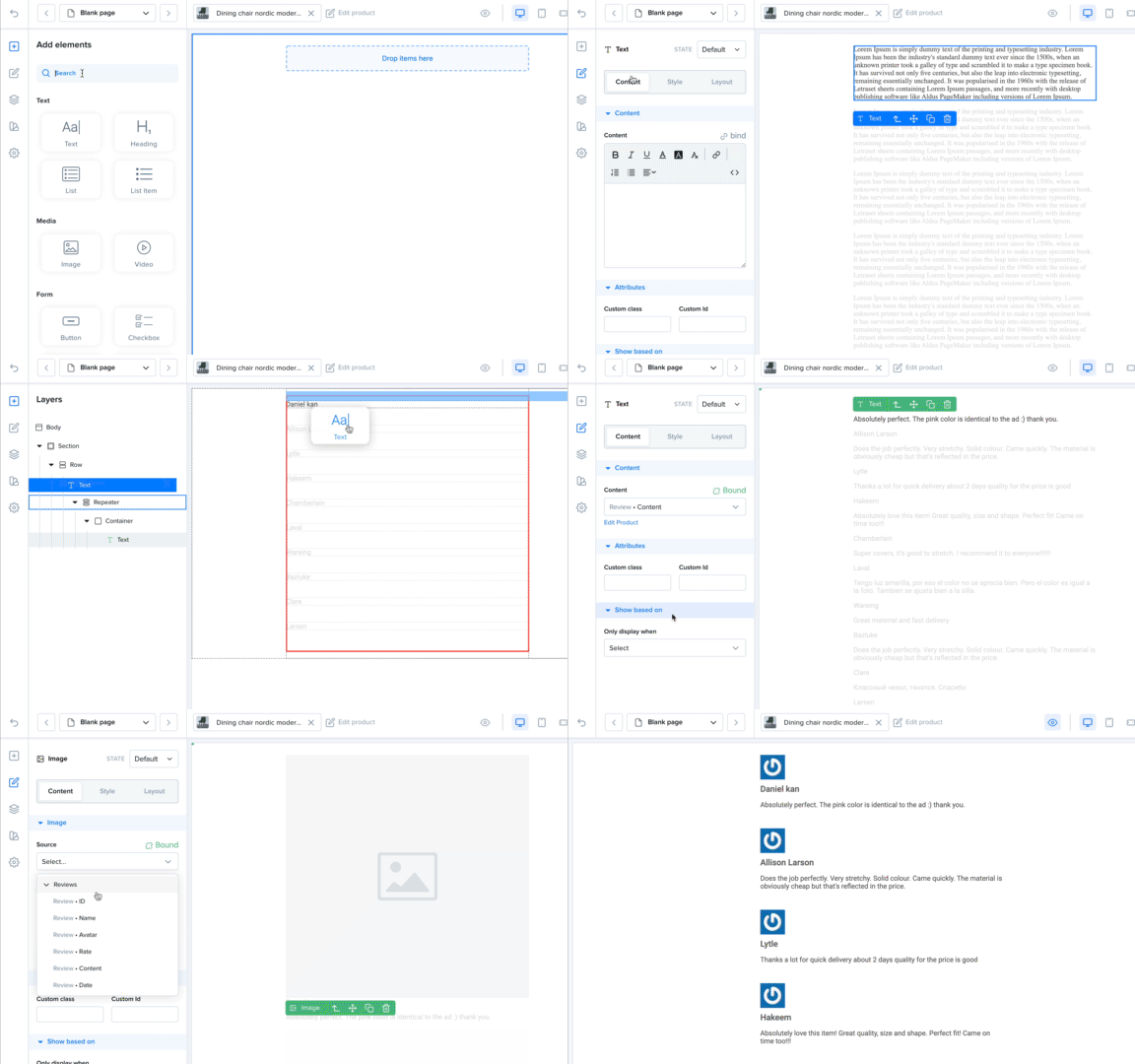
The Repeater repeats the design for all the product reviews
That’s how we use the Repeater to bind list data.